
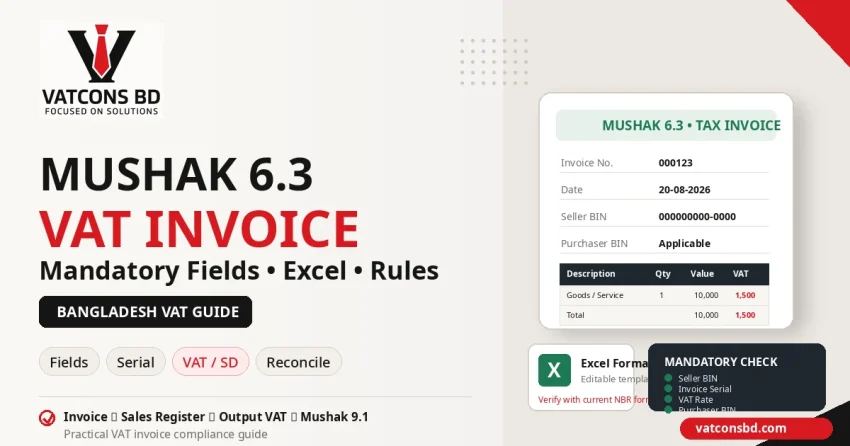
Quick Answer: Mushak 6.3 শুধু invoice template নয়; এটি VAT-registered supplier-এর tax invoice framework-এর অংশ। NBR FAQ অনুযায়ী tax invoice-এ purchaser name, invoice number, seller BIN, purchaser BIN যেখানে applicable, supply details, quantity, value এবং tax involved-এর মতো key information থাকতে হয়। Invoice data sales register এবং monthly VAT return-এর সঙ্গে consistent থাকা জরুরি।
VAT-registered business-এর daily compliance-এর সবচেয়ে visible document হলো tax invoice। Invoice ভুল হলে sales record, customer input credit, VAT return এবং audit—সব জায়গায় problem তৈরি হতে পারে। বাংলাদেশে taxable supply-এর tax invoice হিসেবে Mushak 6.3 গুরুত্বপূর্ণ form।
Mushak 6.3 কী?
Mushak 6.3 হলো registered supplier-এর tax invoice form। এটি শুধু “cash memo” নয়—VAT record chain-এর অংশ। Sales register, customer document, output tax calculation এবং Mushak 9.1 return-এর সঙ্গে invoice data consistent থাকতে হবে।
ভিডিও: Mushak 6.3 Form Fill-up
Update note: VATCONS BD-এর এই practical videoটি Mushak 6.3 form fill-up-এর basic workflow বোঝায়। Videoটি পুরোনো হওয়ায় 2026-এর current form, VAT Rules ও SRO-এর ক্ষেত্রে এই article-এর updated guidance এবং NBR official source-কে priority দিন।
Mushak 6.3-এর Mandatory / Key Fields
NBR FAQ tax invoice-এর key information হিসেবে উল্লেখ করে:
- Purchaser-এর নাম
- Invoice number
- Seller-এর BIN
- Purchaser-এর BIN, যেখানে applicable
- Supply details
- Quantity
- Value
- Tax involved
Current prescribed form-এ supplier details, date, rate, SD, total বা authorized informationসহ আরও field/instruction থাকতে পারে। তাই Excel template বানালেও current NBR form-এর layout/data cross-check করুন।
Invoice Numbering কেন গুরুত্বপূর্ণ?
Invoice serial random বা duplicate হলে sales control দুর্বল হয়। Accounting software, Excel বা POS—যাই ব্যবহার করেন:
- Unique serial রাখুন
- Chronological sequence maintain করুন
- Branch/system identifier ব্যবহার করুন, যেখানে প্রয়োজন
- Cancelled invoice log রাখুন
- Duplicate/reprint control রাখুন
- Period-based reconciliation করুন
Mushak 9.1 sales total এবং invoice summary match করার সময় serial control খুব useful।
VAT Inclusive নাকি Exclusive—Value কীভাবে দেখাবেন?
Contract price VAT-inclusive না exclusive—invoice-এর আগে clear করুন। VAT calculation contract এবং applicable VAT rate-এর ওপর নির্ভর করে। Customer থেকে 115 টাকা পেয়েছেন মানেই taxable value 100 এবং VAT 15—সব ক্ষেত্রে এই simple assumption valid নয়। Supply-specific/reduced VAT, SD বা inclusive-price formula matter করতে পারে।
Invoice template-এ taxable value, VAT rate/amount, SD যেখানে applicable এবং gross amount clear রাখুন।
Purchaser BIN কখন লাগবে?
NBR FAQ purchaser BIN-এর ক্ষেত্রে “in applicable cases” wording ব্যবহার করে। B2B registered buyer/input-credit supporting record-এর জন্য purchaser BIN important হতে পারে। Consumer/other situation-এর treatment supply/form instruction অনুযায়ী follow করুন।
Wrong BIN বা অন্য business-এর BIN ব্যবহার করা avoid করুন।
Mushak 6.3 Excel Format ব্যবহার করা যাবে?
Businesses internal invoice Excel, accounting software বা POS থেকে generate করতে পারে, যদি prescribed information ও legal requirement maintain হয়। NBR FAQ digital accounts maintain করার সুযোগ উল্লেখ করে।
VATCONS BD-এর existing Mushak 6.3 Excel file search traffic পাচ্ছে। Download করার আগে file version current NBR form-এর সঙ্গে মিলিয়ে নেওয়া উচিত।
Download Mushak 6.3 Excel Format
Version note: Downloaded Excel file ব্যবহার করার আগে current NBR Mushak 6.3 form ও latest VAT Rules/SRO-এর সঙ্গে fields verify করুন। পুরোনো template-কে automatically “2026 compliant” ধরে নেবেন না।
Step-by-Step Invoice Preparation
Step 1: Supplier identity verify
Business name, address, BIN এবং branch details current registration-এর সঙ্গে মিলান।
Step 2: Customer information
B2B হলে customer name/BIN verify করুন। Purchase order/contract data-এর সঙ্গে spelling match করুন।
Step 3: Supply details
Product/service description এমন লিখুন যাতে transaction identifiable হয়। “Service charge” বা “goods” অতিরিক্ত generic হলে audit trail দুর্বল হতে পারে।
Step 4: Quantity / Unit / Value
Applicable quantity/unit এবং taxable value correct রাখুন। Discount, rebate বা return থাকলে legal treatment review করুন।
Step 5: VAT / SD
Applicable VAT rate, VAT amount এবং Supplementary Duty থাকলে current SRO/rate অনুযায়ী calculate করুন।
Step 6: Serial / Date
Invoice number ও date sales period-এর সঙ্গে consistent রাখুন। Backdate/duplicate avoid করুন।
Step 7: Post to records
Invoice issue হওয়ার পর sales register/accounting software এবং VAT return reconciliation-এ include করুন।
Mushak 6.3 সব Supply-এ ব্যবহার হয়?
না—transaction context বুঝতে হবে। NBR FAQ contractual output-এর ক্ষেত্রে Mushak 6.4-এর কথা বলে; আবার VAT Rules-এর contractual manufacturing provisions-এ manufactured goods-এর taxable supply/consideration-এর ক্ষেত্রে VAT-6.3 issue করার requirementও আছে। অর্থাৎ 6.4-কে 6.3-এর blanket replacement ধরে নেওয়া ঠিক নয়—কোন stage ও কোন transaction-এর জন্য কোন form প্রযোজ্য, current Rules অনুযায়ী verify করতে হবে। Central registration/inter-unit transfer-এর মতো situation-এও অন্য prescribed form relevant হতে পারে।
Credit Note / Adjustment হলে কী করবেন?
Sale return, price adjustment বা tax correction-এর ক্ষেত্রে original invoice edit/delete করে history মুছে ফেলবেন না। VAT Rules-এর prescribed adjustment process follow করুন এবং original reference retain করুন। Current rules/form verify করুন।
10টি Common Mistake
- Seller BIN ভুল বা পুরোনো
- Invoice serial duplicate
- Purchaser BIN required হলেও missing
- VAT rate old SRO থেকে নেওয়া
- VAT inclusive/exclusive calculation ভুল
- SD applicable কিন্তু বাদ
- Invoice issue হয়েছে কিন্তু sales register-এ নেই
- Excel template current form-এর সঙ্গে match না করা
- Contractual manufacturing-এর stage না বুঝে 6.3 ও 6.4-এর ব্যবহার গুলিয়ে ফেলা
- Cancelled invoice record না রাখা
Mushak 6.3 এবং Mushak 9.1-এর Connection
Monthly VAT return কোনো isolated form নয়। Invoice-based sales summary output tax তৈরি করে। যদি Mushak 6.3 total sales 30 লাখ, accounting sales 32 লাখ এবং return sales 28 লাখ হয়, reconciliation question আসবেই।
Month-end control: Mushak 6.3 Summary → Sales Ledger → Output VAT → Adjustments → Mushak 9.1
এই chain monthly close-এর standard SOP হওয়া উচিত। বিস্তারিত দেখুন Mushak 9.1 Monthly VAT Return Guide।
FAQ
সাধারণ cash memo কি Mushak 6.3-এর বিকল্প?
VAT-registered taxable supply-এর ক্ষেত্রে prescribed tax-invoice requirement follow করতে হবে। Generic cash memo-তে required fields না থাকলে যথেষ্ট নাও হতে পারে।
Excel invoice valid?
Format medium নয়, prescribed information ও compliance matter। Digital accounting allowed হলেও current legal form/instructions follow করতে হবে।
Purchaser BIN সবসময় লাগবে?
NBR FAQ applicable cases-এর কথা বলে। Transaction/buyer status অনুযায়ী current form instruction অনুসরণ করুন।
Mushak 6.3-এর latest format কোথায় পাব?
NBR VAT forms page এবং current VAT Rules/SRO check করুন। VATCONS BD download file use করলে version date verify করুন।
আপনার পরবর্তী পদক্ষেপ
আপনার Invoice, Sales Register এবং Mushak 9.1 তিনটা কি একই data story বলছে?
VATCONS BD Practical VAT Support-এর মাধ্যমে invoice template, rate mapping, serial control এবং monthly return reconciliation workflow review করা যায়।
Related Practical Guides
- Mushak 9.1 VAT Return Guide
- BIN/VAT Registration Guide
- Practical VAT & Tax Management
- VAT Forms & Download Resources
Official Sources

Last verified: 20 August 2026
Disclaimer: VAT rate, form, invoice requirement এবং Rules/SRO change হতে পারে। Current NBR form, VAT Rules এবং latest SRO verify করুন।